
Product Creator lets you save a product name and up to three images in your personal library. You can then reuse your saved products when creating AI UGC Video ads without uploading the same images again.
Product Creator
Upload product images or import products from TikTok Shop, Amazon, and Shopify URLs. Save products to your library and reuse them in AI product images and UGC video ads.
0/30
Add product images
0/3 selected
Create Professional Product Image →
Meet the tool
What is Product Creator
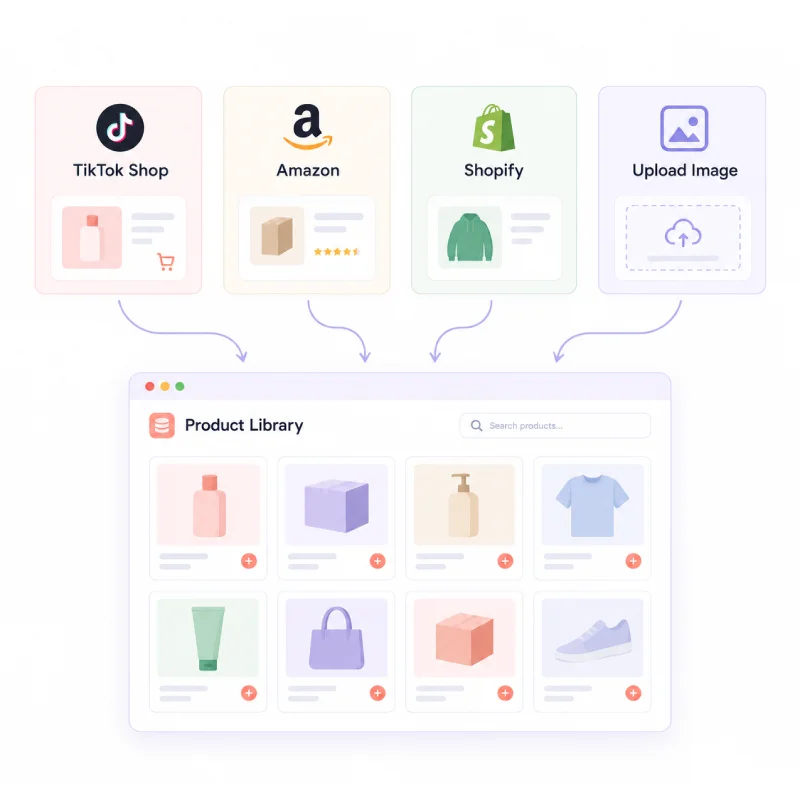
Product Creator is the DesignUGC tool for creating and saving products. Upload product images or import products from TikTok Shop, Amazon, and Shopify URLs. Add a name, organize your products, and keep them ready for future projects.
Instead of uploading the same images every time you create an ad, simply select a saved product and start creating. Product Creator keeps your product assets organized and easy to reuse across campaigns.
Your saved products work seamlessly with AI Product Photography and AI UGC Video. Pair a product with an AI avatar, describe your idea, and create product images or UGC video ads without starting from scratch.
Whether you manage a few products or a large catalog, Product Creator helps simplify your workflow. Build your product library once and reuse your assets across launches, creative tests, and seasonal campaigns.
How it works
How to Use Product Creator
Build your product library in three simple steps.
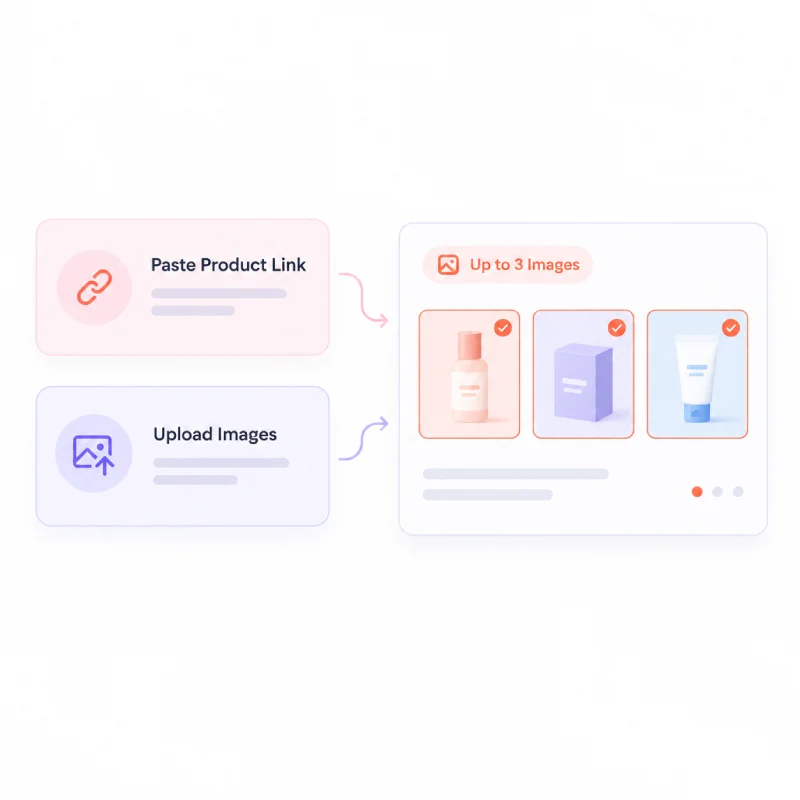
- 01
Add Your Product
Upload product images or paste a link from Amazon, TikTok Shop, or Shopify. Product Creator automatically extracts available listing images, so there’s no need to download them manually.
- 02
Choose Up to Three Images
Keep up to three clear images that best represent your product. Front, back, and close-up views work well. Remove banners or cluttered lifestyle shots to give the AI better visual references.
- 03
Name and Save
Give your product a recognizable name and save it to your library. You can reuse it anytime in your AI image and video workflows.
FAQ
Paste a product link from Amazon, TikTok Shop, or Shopify, and Product Creator will attempt to extract the product images. Other links may also work through a general parser, but results can vary by website.
A focused set of up to three images helps keep your product references clear and consistent. If an import returns more images, choose the three that best represent your product before saving.
Yes. Upload product photos directly from your device if you already have images ready to use. Add a product name, select up to three images, and save them to your personal library for future AI UGC Video creation.
You can use saved products in the AI UGC Video generator to create product-focused video ads. Your saved product images are ready to reuse whenever you start a new video project.
Yes. Review the imported images before saving and remove any that do not match your product. If a product link returns poor results, upload your own photos instead.
You can keep adding products to your library as your catalog grows. Each product has its own name and up to three images, making it easier to organize products for different collections, seasons, or campaigns.
Yes. Agencies and teams working with multiple brands can save product references in one library and reuse them across AI UGC Video projects. This helps reduce repetitive uploads and keeps product assets organized.
Yes. You need to sign in to save products to your personal library. New users also receive free credits to try the AI UGC Video generator with their saved products before choosing a plan.